
How to Create an Invoice in CMST
In CMST, the Invoice feature under the Payments section helps users view detailed information about transactions and payment records. It provides a clear overview of the payments made and their associated details.
To view or create an invoice:
Navigate to the Payments section.
In the Action column, click on the three-dot button next to the desired payment record.
Select the View Invoice option from the dropdown menu.The file gets download to your device automatically.

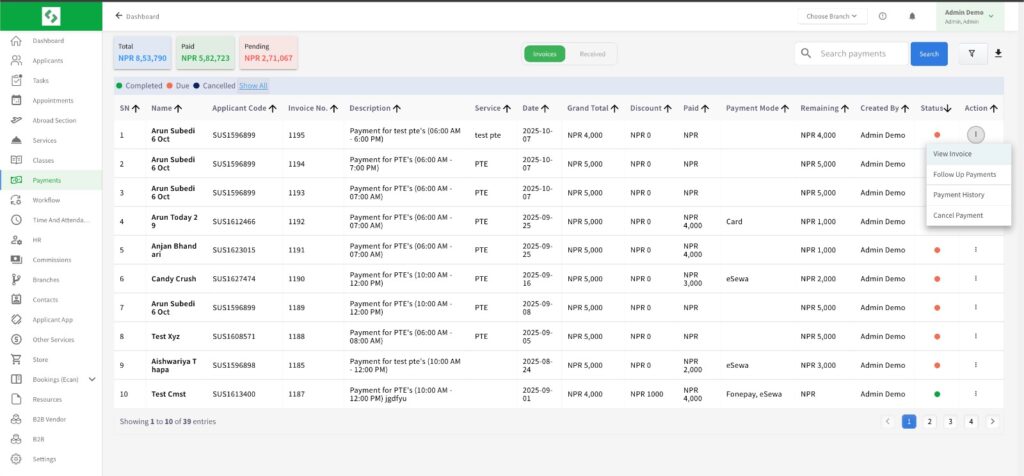
This will display the invoice containing all relevant payment details, ensuring transparency and easy financial tracking within the CMST system.