
How to Add Test in CMST
You have two methods to Add Test
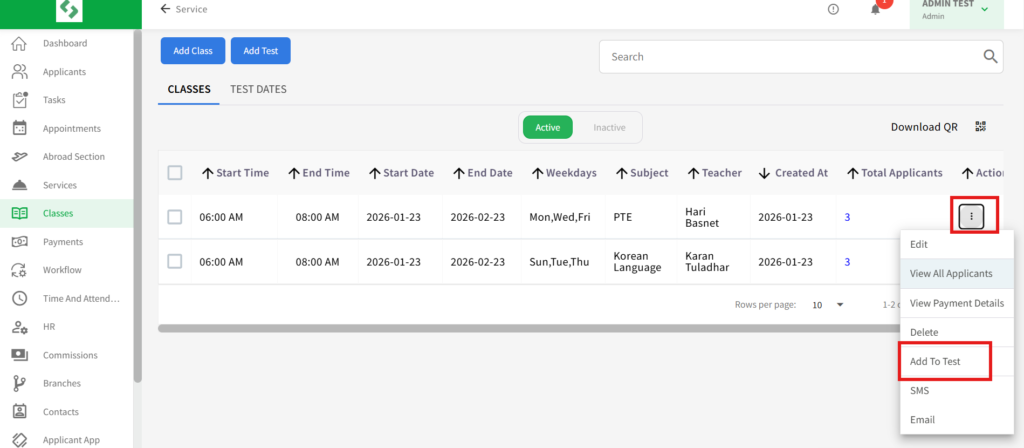
- Go to the “Classes” section. There, you can see two tabs; Classes and Test Dates. Go to Classes tab and select the class you want to add to test. On the action menu, Click “Add to test”.
- Another way is; Go to Test Dates Section.
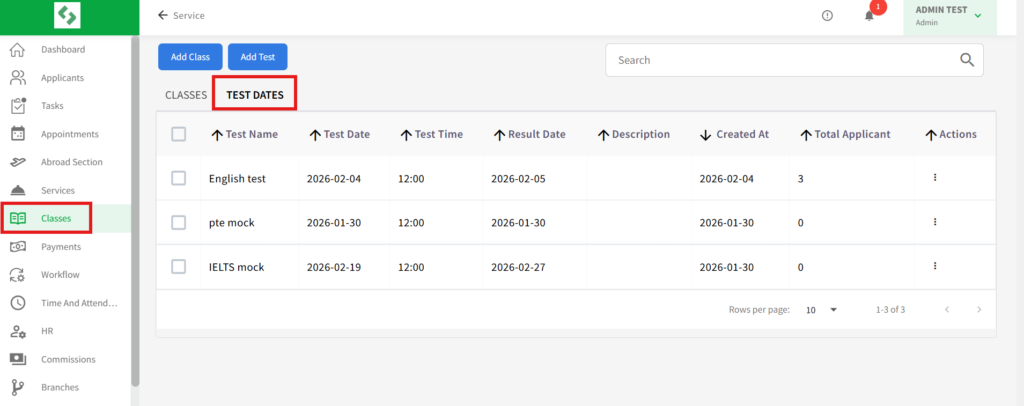
- To Add a test in a class we have to click on “Add test” which is on the right side of the top. Then there “Add Test date” Form appears.
- You have to fill the forms as stated by to its requirements. In this form, two fields are compulsory: Test’s Name and Test’s Date. You may also enter data into other fields as you find necessary

- Click on “Save”.