
How to Edit Service Details in CMST
Editing service details in CMST is simple and can be done directly from the dashboard. Follow the steps below:
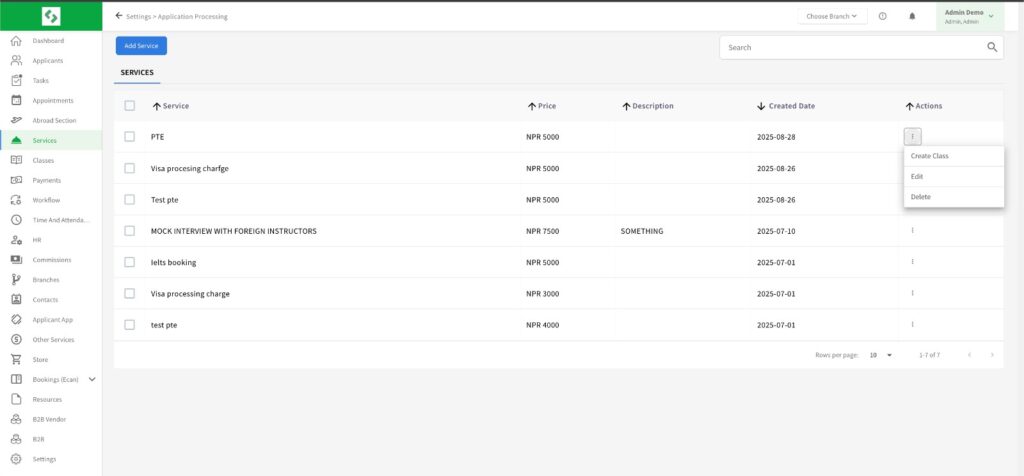
Go to the Service section from the left navigation panel.
A list of all the added services will be displayed on the screen.
Locate the service you wish to modify and navigate to the Action column on the right side.
Click on the three-dot action button next to the service.
From the dropdown menu, select the Edit option to update the service details as needed.
This feature allows users to conveniently manage and update service information, ensuring data accuracy and better workflow management within CMST.