
How to remove assigned applicants in CMST
The Assigned Applicants feature in CMST allows users to manage and monitor applicants assigned to them for follow-ups, processing, and related tasks. Once all responsibilities are completed, users can remove themselves as the Applicant Manager to keep records accurate and up to date.
Updating assignments after task completion helps maintain a well-organized workspace, enhances visibility for other team members, and ensures smooth workflow management within the system.
Steps to Remove Assigned Applicants
- Log in to CMST
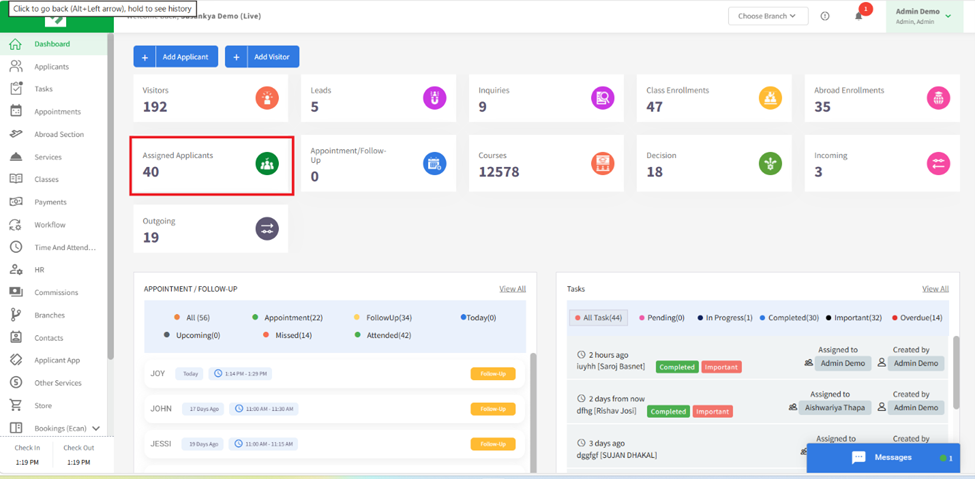
- Go to the Assigned Application Cards in dashboard
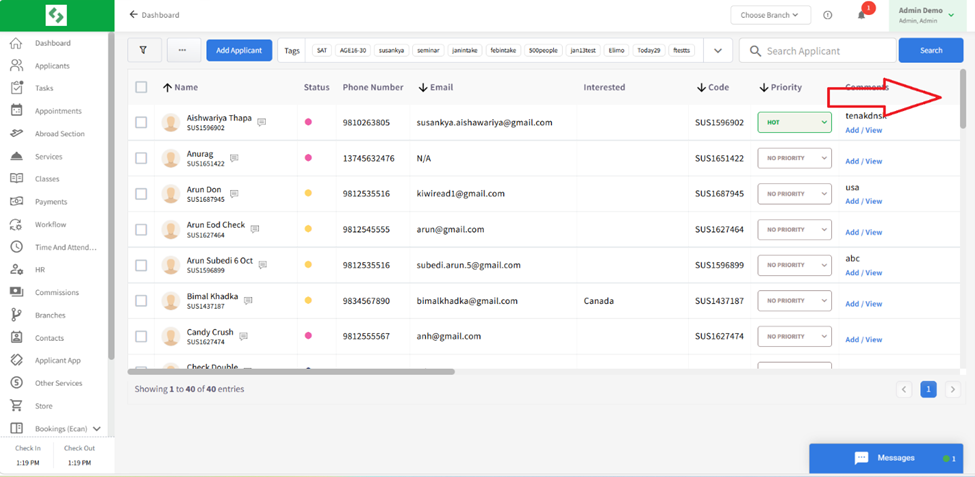
- Select the applicant you wish to remove and scroll right side to the Applicant Manager section
- Remove yourself as the assigned manager after completion of the assigned tasks
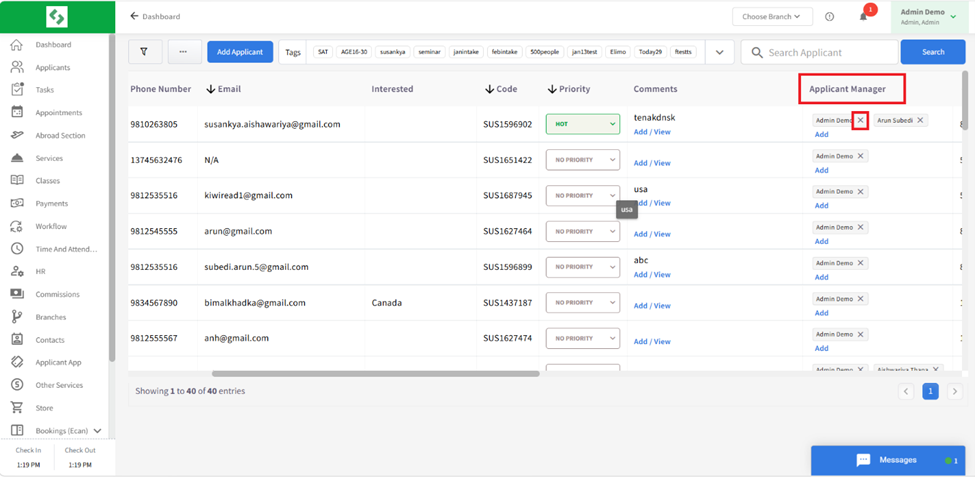
- Assigned applicant will be removed
Removing assigned applicants after task completion ensures accurate records, improves team coordination, and helps maintain an organized and efficient workflow within the system