
How to transfer student profile to branches in CMST
The Transfer Student Profile feature in CMST allows users to move applicant or student records from one branch to another. This ensures proper distribution of responsibilities, better coordination between branches, and accurate data management within the organization.
Transferring profiles is especially useful when a student is being handled by a different branch, relocated, or requires services from another office.
Steps to Transfer Student Profile to Branches
- Log in to CMST
- Navigate to the Applicants section in Left panel
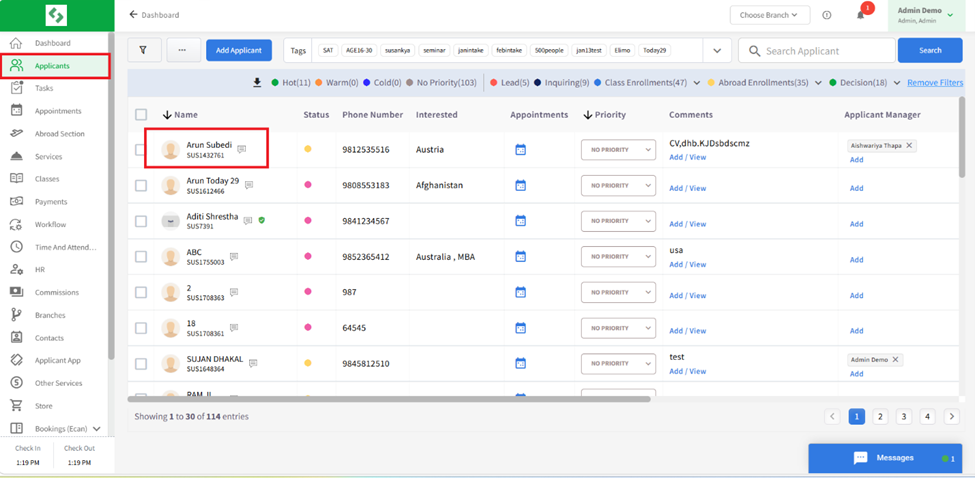
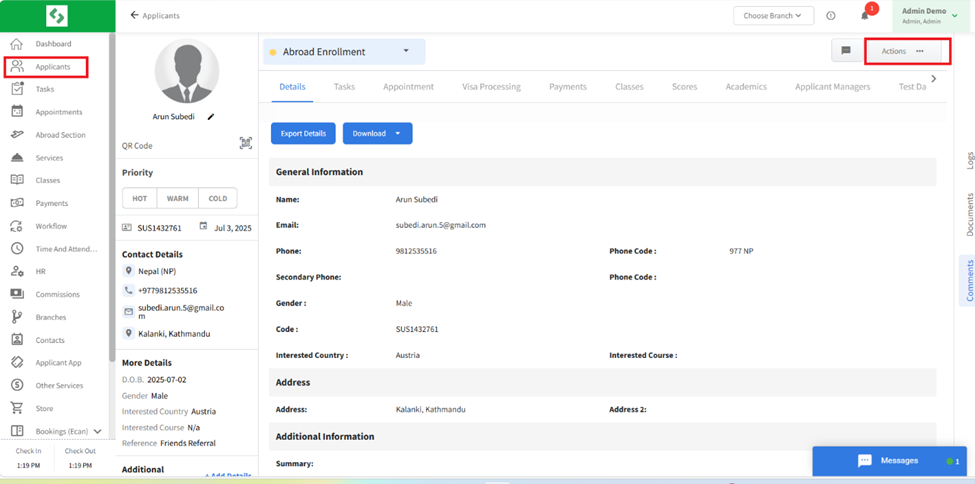
- Select the student profile you want to transfer and click on the Action (three dots) within the profile
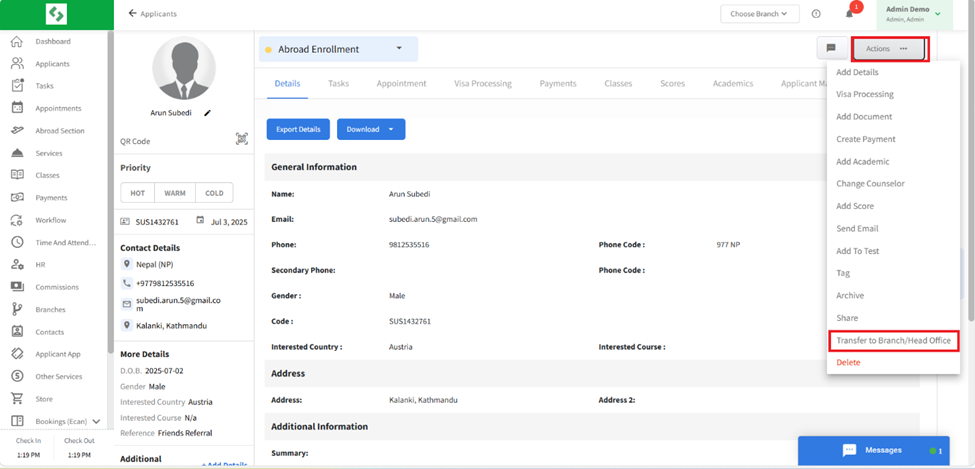
- Select the Transfer to Branches/Head office option
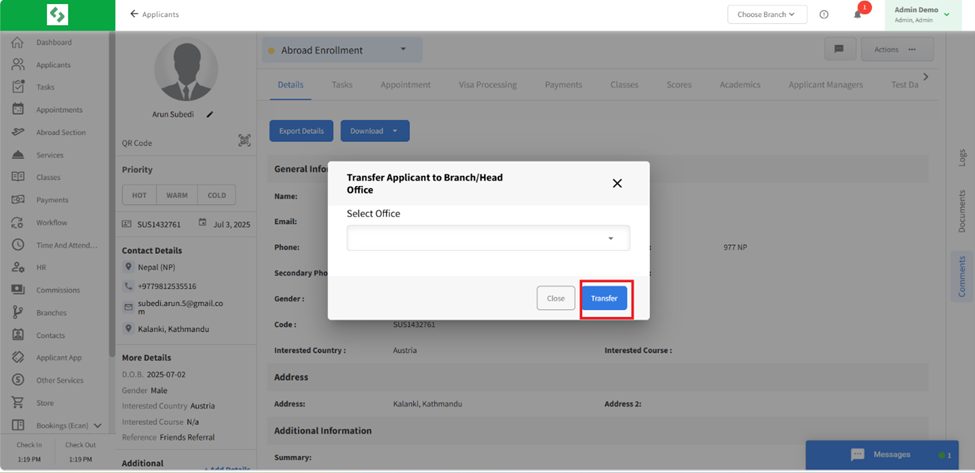
- Choose the branch name from the available list
- Click transfer and applicants’ data will be transferred to branches
The Transfer Student Profile feature in CMST enables seamless movement of applicant data across branches, ensuring better coordination, efficient task management, and consistent record-keeping throughout the organization.