
How to View EOD Logs in CMST
The EOD (End of Day) Logs feature in CMST allows administrators to review daily activity reports submitted by users. It helps in monitoring productivity, tracking completed tasks, and ensuring accountability across the team.
Steps to View EOD Logs
- Log in to CMST
- Navigate to Settings from the left panel and go to the Communication section
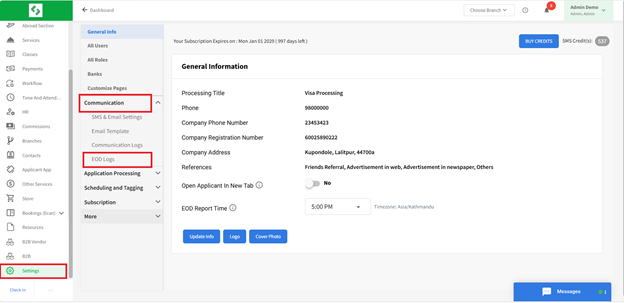
3. Click on EOD Logs
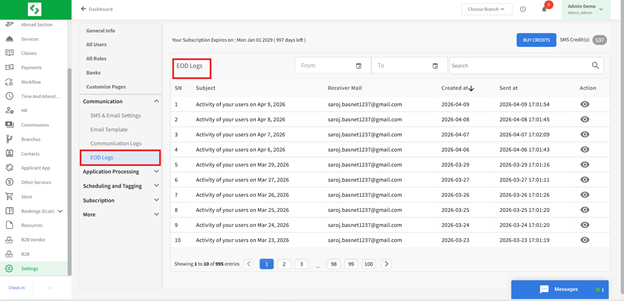
The EOD Logs feature provides a structured and efficient way to track daily user activities, ensuring transparency, improved performance monitoring, and better administrative control.